Excelra Gostar
Overview
GOSTAR is one of the world's largest medicinal chemistry databases, used by pharmaceutical researchers to identify promising drug candidates across millions of scientific records, publications, compounds, assays, and development programs.
I worked as the sole designer on the redesign of the platform's search experience. The goal was to make a powerful but highly complex system easier to understand, navigate, and use without reducing its analytical capabilities.
The redesign focused on helping both occasional and expert users find answers faster while supporting the advanced search workflows required by scientific research.
Understanding the Search Problem
The existing platform had evolved over many years and accumulated a large number of search methods, filters, and interaction patterns. While the system was extremely powerful, it was also difficult to learn and often overwhelming for less experienced users.
Researchers had to navigate a large number of options before even beginning their search.
One of the core challenges was supporting two very different user groups:
- users who wanted to search and get answers quickly
- expert researchers who needed precise control over complex scientific queries
The redesign needed to support both workflows without creating separate products or sacrificing capability.
Designing Multiple Paths to Discovery
Rather than forcing all users through the same workflow, I designed multiple ways to access the database depending on the user's goals and expertise.
The new experience introduced:
- Basic Search for quick compound lookup
- Basic Search + Filters for experienced users
- Guided Search for complex research workflows
This allowed novice users to start with familiar search patterns while still giving power users access to the advanced capabilities they depended on.
While researching solutions, I looked beyond chemistry products and studied how people interact with search in everyday tools such as Gmail, Jira, Amazon, and other data-heavy platforms. Many of these interaction patterns proved more intuitive than those commonly found in scientific software.
Guided Search
The most challenging part of the project was helping users construct highly specific scientific searches without becoming overwhelmed by the number of available parameters.
Researchers could combine dozens of criteria, creating countless possible query combinations and intersections.
One of the biggest usability risks was that users could easily create a query that returned no results without understanding why.
To address this, the interface was designed around progressive disclosure, showing complexity only when needed while keeping the overall workflow approachable.
As users refined their searches, the system continuously updated expected result counts, helping them understand the impact of their decisions before executing a query. This reduced trial-and-error behavior and gave users more confidence when building complex searches.
Reimagining Search Results
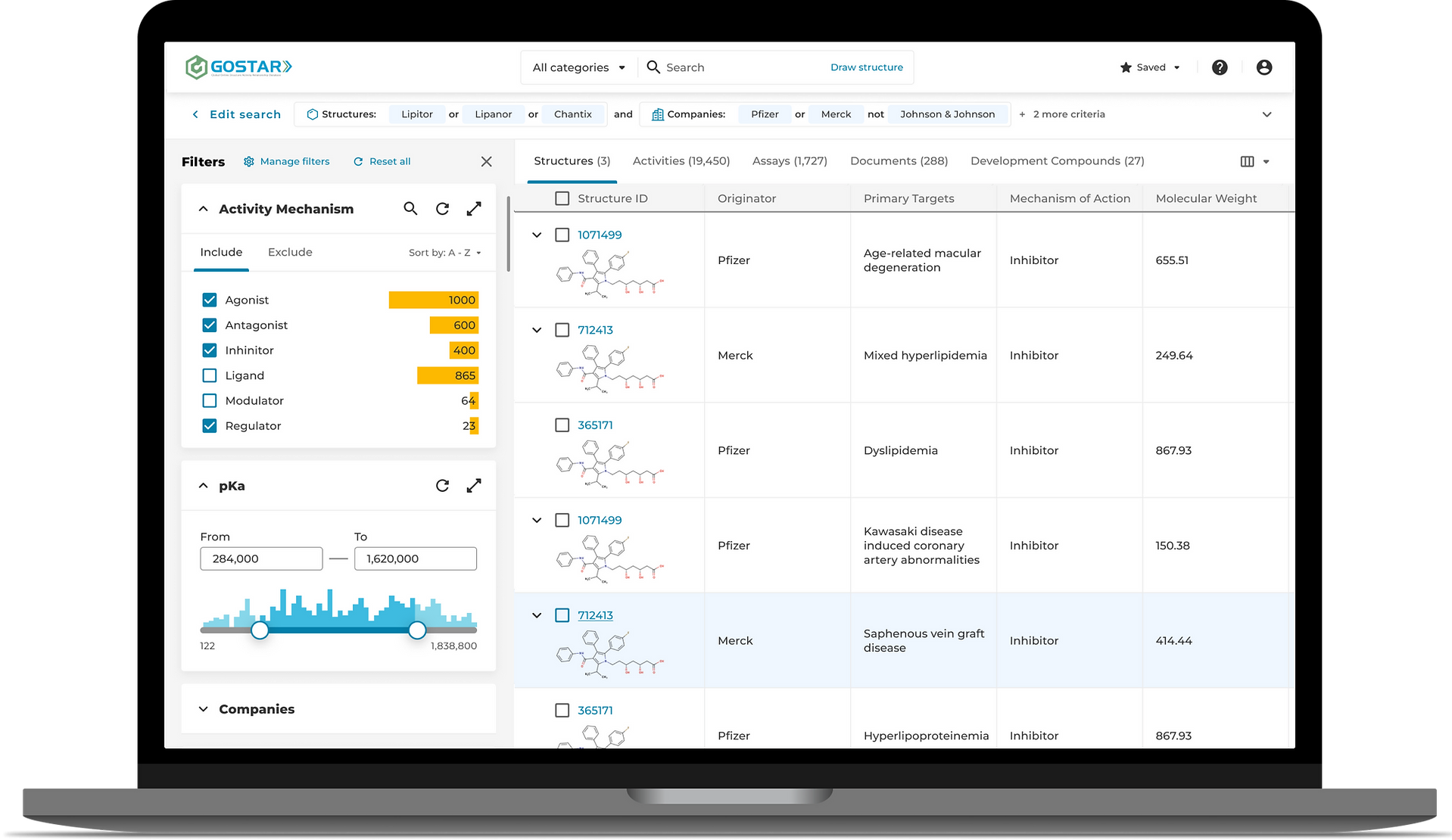
Search results became another major focus of the redesign. The previous experience displayed information across 26 separate result sections, making it difficult for users to understand relationships between different types of scientific data.
After analyzing the underlying data structure and usage patterns, I reorganized the results into five primary categories:
- Structures
- Activities
- Assays
- Documents
- Development Compounds
This significantly improved information hierarchy, reduced duplication, and made exploration much more efficient.
The goal was not simply to display results, but to help researchers discover connections between compounds, studies, patents, and development programs more quickly.
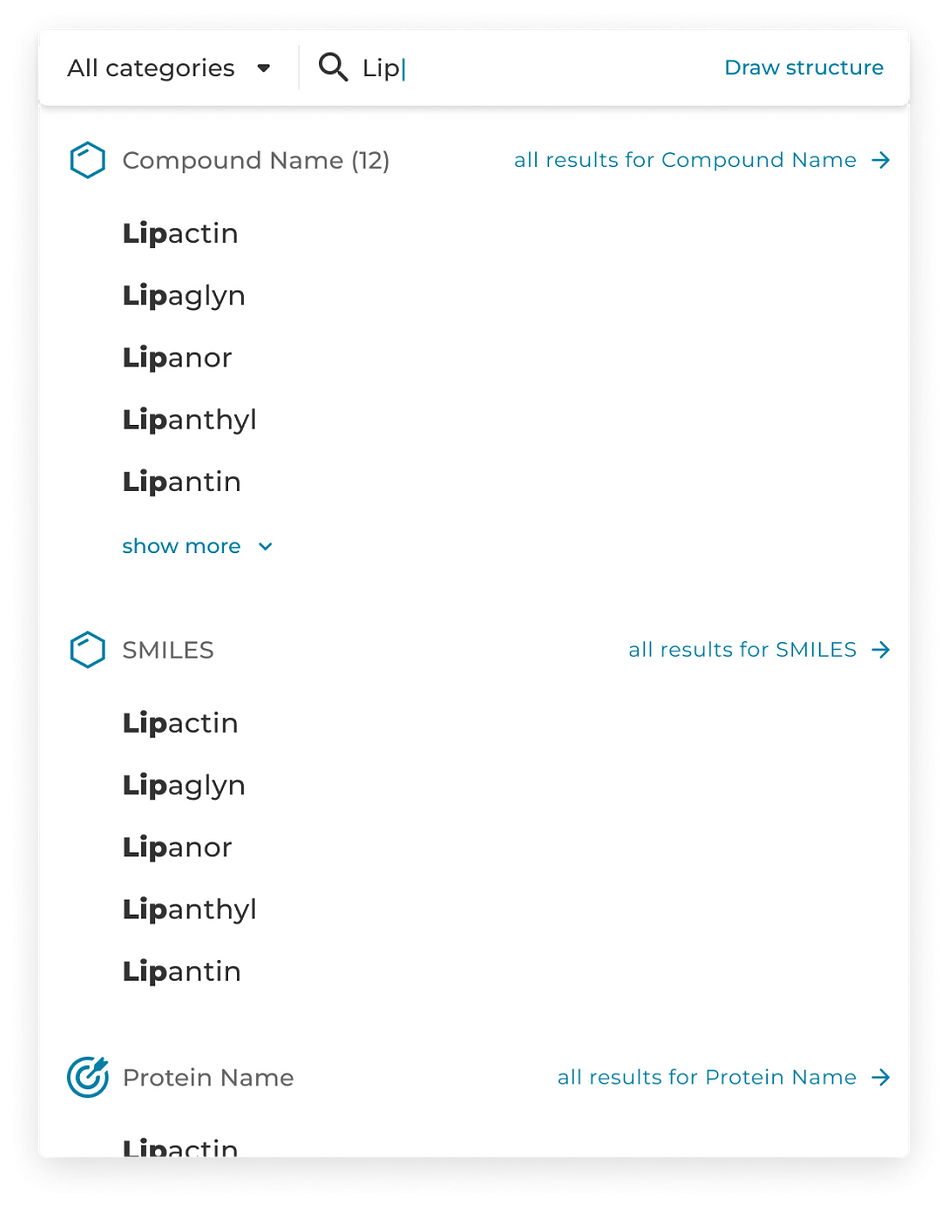
Quick search
A simplified method for casting wide queries
For frequent or power users who know what they are looking for, the quick search functionality is designed to use predictive text entry and organize potential result matches based on the most relevant and important categories or characteristics.
Saving and Monitoring Research
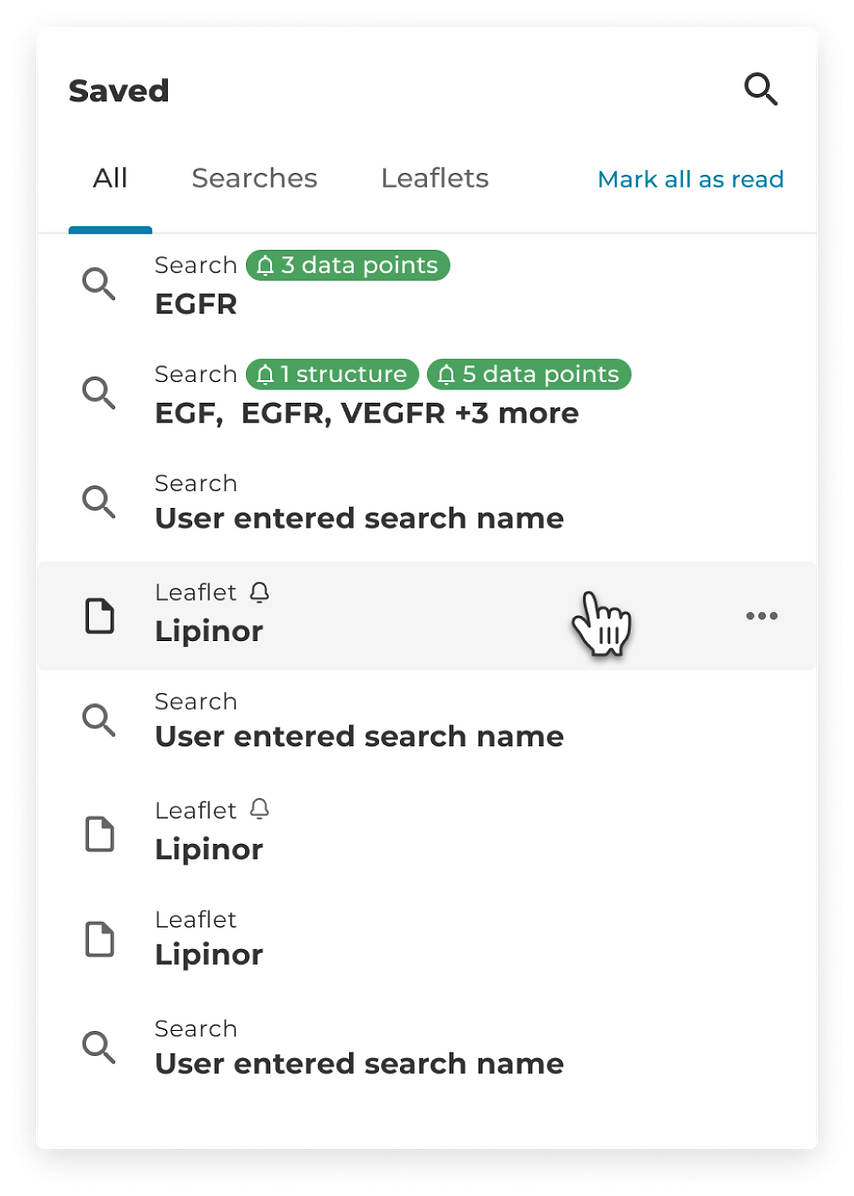
Research is rarely completed in a single session.
To support long-term workflows, users could save both searches and compound pages for future reference.
Saved queries also allowed researchers to monitor changes over time and receive updates when new information became available, making the platform more valuable as an ongoing research tool rather than a one-time search destination.
Exploring Compound Intelligence
The compound leaflet serves as the primary destination for detailed scientific information. I redesigned the page structure to make large volumes of data easier to navigate and consume, helping researchers move between related information more efficiently.
The new structure improved discoverability while reducing the effort required to locate relevant information across complex scientific records.
Impact
The redesign significantly improved how researchers interacted with one of the largest medicinal chemistry databases in the industry.
The new guided search experience made advanced search functionality more approachable while preserving the flexibility required by expert users.
Most importantly, the time required to move from search to meaningful results was reduced from 30–60+ seconds to approximately 10 seconds, representing a substantial improvement in research efficiency.
The success of the redesign led to a broader partnership with Excelra and additional product initiatives beyond the original scope of the engagement.